Turn screen work into an SOP — skip the screen recording
The old way: record a video, scrub through it, screenshot the right frames, paste them into a doc, type every step. Dyzo Owl records the workflow itself while you do the task — and the SOP writes itself.
5 free SOPs every month. No credit card.
- 1
Click “New invoice” in the billing dashboard
- 2
Fill in the client and amount, then Save
- 3
Send the invoice and copy the payment link
Illustration — every click you make becomes a step with its own screenshot.
Steps, not footage
A video makes viewers hunt for the moment they need. Dyzo Owl captures each click as a numbered step with a screenshot — scannable, searchable, printable.
No scrubbing, no pasting
The screenshot is taken at the exact click, with the click marked. Nothing to extract from a timeline, nothing to crop and paste.
Easy to update (videos aren't)
When a process changes, re-record just the changed steps or edit the text. With video you re-record and re-edit the whole thing.
Private by default
Passwords are auto-blurred and visible emails blurred by default — much safer than a raw screen recording of your admin panel.
See it in action
Record the task once — Dyzo Owl writes the steps, captures every screenshot, and gives you a link to share.
Record
Hit record in the extension and just do the task. Every click, form and page change becomes a numbered step — across tabs, on any site.
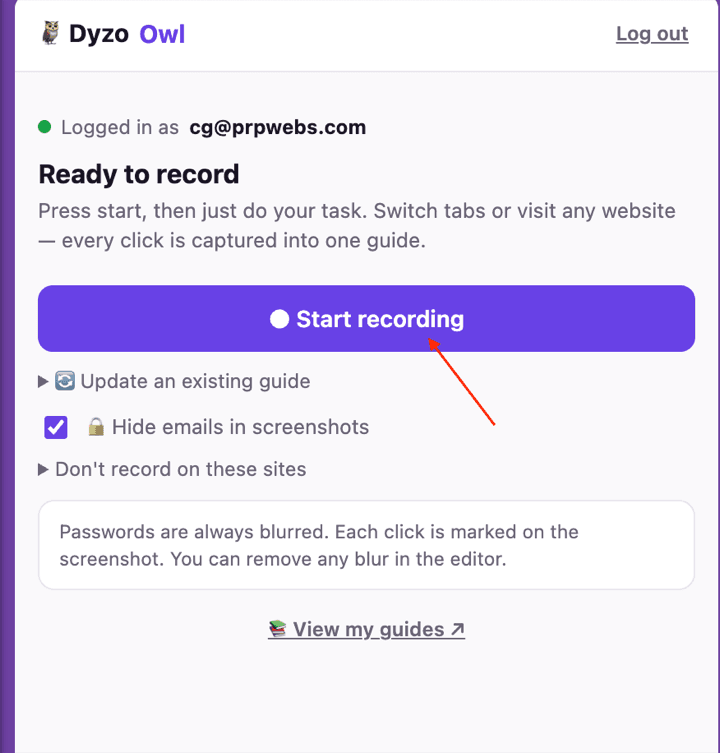
Refine
Dyzo Owl writes the guide for you. Edit any caption, reorder or delete steps, blur anything sensitive, and let AI polish the wording.
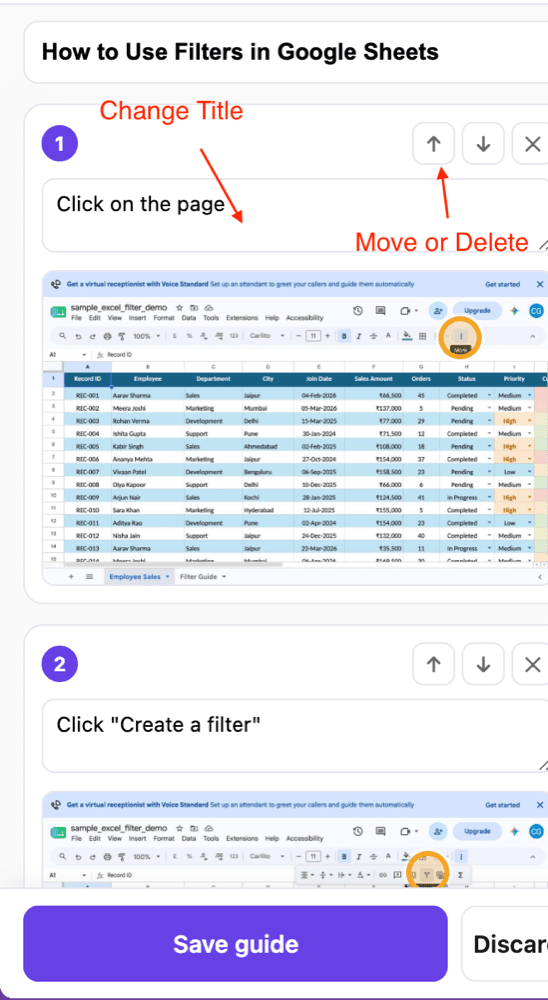
Share
Publish a link anyone can open — no signup to view — or export to Word, PDF, HTML and Markdown. See who read and completed it.
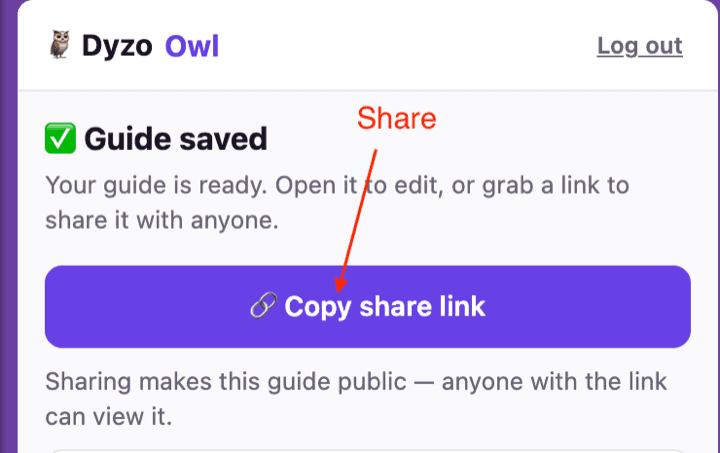
How we’re different
- 3 minutes vs 30 · Doing the task once with the recorder on replaces recording, scrubbing, screenshotting, and writing.
- Readers skim in seconds · A numbered guide answers 'what's step 4 again?' instantly. A video makes them scrub for it.
- Follow-along mode · Readers tick off each step as they do it and mark the SOP completed — a video can't do that.
- Video still has its place · Keep video for demos and culture. Use step-by-step SOPs for anything people must follow precisely.
FAQ
- Can I upload an existing screen recording and convert it to an SOP?
- No — Dyzo Owl doesn't convert video files. Instead, you do the task once with the recorder on, and it captures every click as a step with a screenshot. For most workflows that's faster than scrubbing an existing video for the right frames.
- How is this different from a screen recorder like Loom?
- Loom produces a video someone must watch end-to-end. Dyzo Owl produces a step-by-step document with screenshots — readers jump to the step they need, tick steps off as they work, and you can update one step without re-recording everything.
- How do I create an SOP from my screen with Dyzo Owl?
- Install the Chrome extension, press Start recording, and do the task normally — across any tabs or sites. Press Stop, tidy the steps in the side panel, and save. Share it with a link or export to PDF, HTML, or Markdown.
- Does it capture anything when I'm not recording?
- No. The recorder is inert until you press Start, never runs in the background, and doesn't track your browsing.
Try Dyzo Owl free
Capture your first SOP in two minutes. No card needed.