The Word SOP template that fills itself in
A blank Word template still leaves you the hard part: writing every step and pasting every screenshot. Dyzo Owl records your process and exports a finished Word (.docx) SOP — steps numbered, screenshots embedded, ready to brand and send.
5 free SOPs every month. No credit card.
- 1
Click “New invoice” in the billing dashboard
- 2
Fill in the client and amount, then Save
- 3
Send the invoice and copy the payment link
Illustration — every click you make becomes a step with its own screenshot.
Real .docx export
One click in the editor downloads a Word document with your title, description, owner/version line, section headings, numbered steps, and every screenshot placed at the right step.
The content writes itself
Record the task once in Chrome — every click becomes a step with a screenshot. No typing 'Step 1: Click…' into a template ever again.
Format it your way
Once it's in Word you can apply your letterhead, styles, and branding like any other document — the structure is already there.
Stays alive online too
The same SOP lives at a share link with follow-along checklists and read receipts. Word is your offline/compliance copy; the link is the living version.
See it in action
Record the task once — Dyzo Owl writes the steps, captures every screenshot, and gives you a link to share.
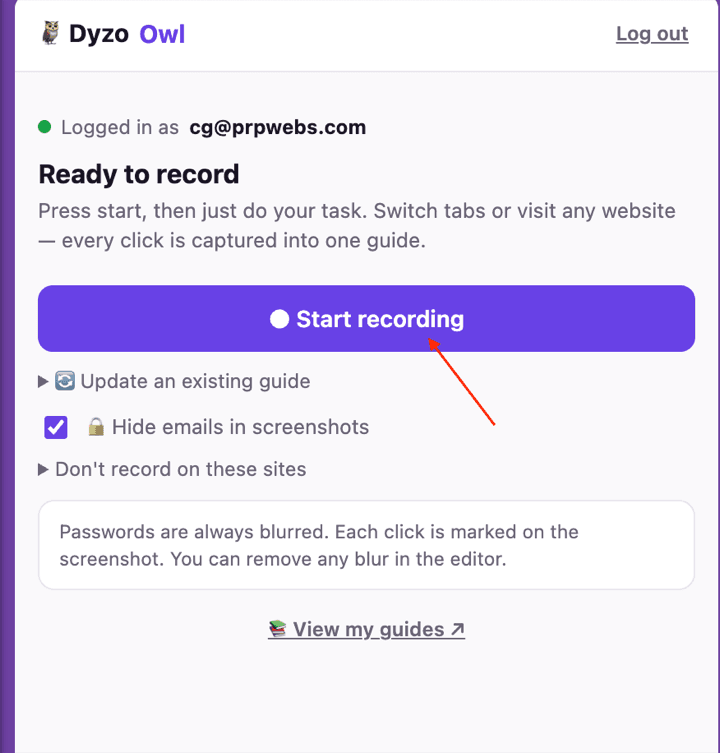
Record
Hit record in the extension and just do the task. Every click, form and page change becomes a numbered step — across tabs, on any site.
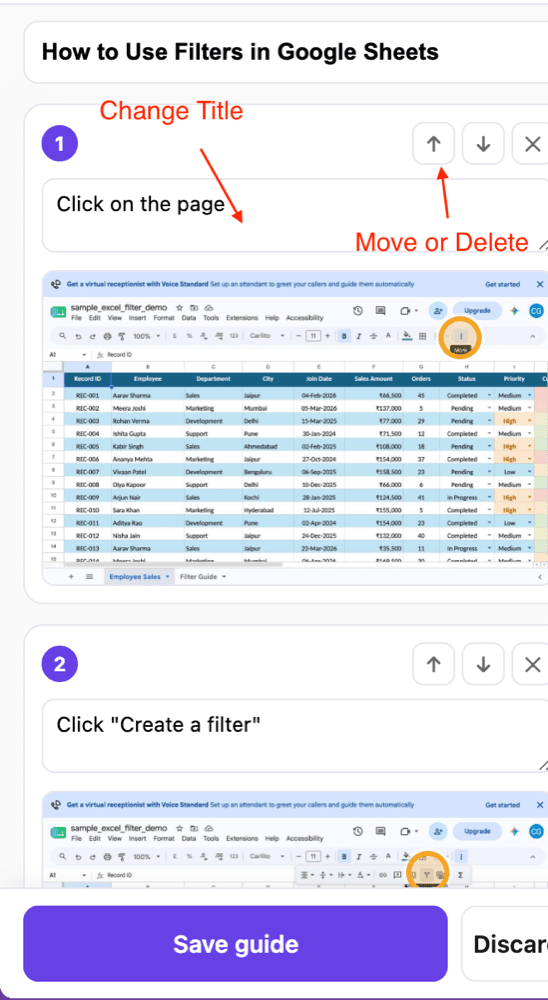
Refine
Dyzo Owl writes the guide for you. Edit any caption, reorder or delete steps, blur anything sensitive, and let AI polish the wording.
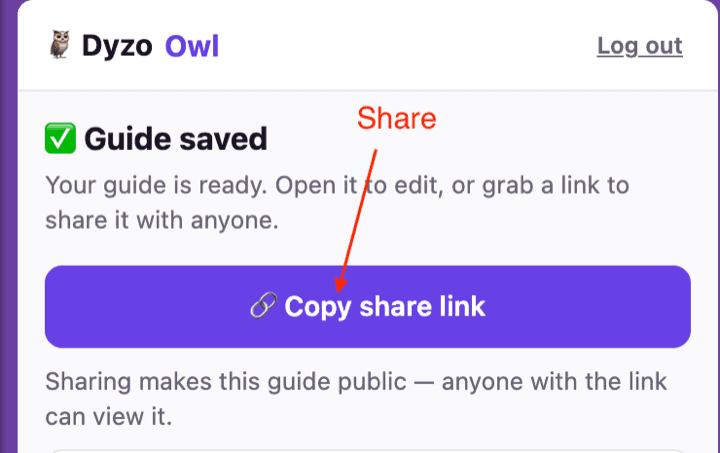
Share
Publish a link anyone can open — no signup to view — or export to Word, PDF, HTML and Markdown. See who read and completed it.
How we’re different
- vs downloading a blank template · A template gives you headings. Dyzo Owl gives you the finished procedure — with proof screenshots.
- vs screenshot-and-paste in Word · The 30-minute crop-and-paste ritual becomes one recording and one export click.
- Keeps SOP structure · Owner, version, and next-review date are part of the document — the fields auditors ask about.
- Free to try · 5 SOPs every month free, then $7 per user for unlimited. Export formats included on every plan.
FAQ
- Can I export my SOP to Microsoft Word?
- Yes. Open any guide in the Dyzo Owl editor and choose Export → Word (.docx). You get a standard Word file with numbered steps, notes, and embedded screenshots that opens in Microsoft Word, LibreOffice, or Google Docs.
- Is this a free SOP template for Word?
- Better — it's a free SOP generator that outputs Word files. On the free plan you can create 5 SOPs a month and export each one to .docx at no cost.
- Do screenshots come through in the Word file?
- Yes, every step's screenshot is embedded in the document at its correct position and proportions — including the click markers and any blurs you applied.
- Can I still edit the SOP after exporting?
- The .docx is fully editable in Word. But the smarter workflow is to edit in Dyzo Owl (where you can re-record steps) and re-export — so your Word copy never drifts from the live version.
Try Dyzo Owl free
Capture your first SOP in two minutes. No card needed.