SOP software that writes your SOPs for you
Stop writing standard operating procedures by hand. Dyzo Owl records your clicks and turns them into clean, screenshot-by-screenshot SOPs — ready to edit and share in minutes.
5 free SOPs every month. No credit card.
- 1
Click “New invoice” in the billing dashboard
- 2
Fill in the client and amount, then Save
- 3
Send the invoice and copy the payment link
Illustration — every click you make becomes a step with its own screenshot.
An SOP creation tool that does the typing
Hit record and do the task. Every click becomes a step with a screenshot and a written instruction — no more screenshotting and pasting by hand.
Manage every SOP in one place
Save your standard operating procedures to your account, organise them, and update them whenever a process changes.
Share with a link — no signup for readers
Send a public link in Slack, email, or a project board. Anyone opens it in any browser. Or export to PDF, HTML, or Markdown.
Passwords and emails stay private
Password fields are auto-blurred and visible emails are blurred by default. Manually blur anything else before you share.
See it in action
Record the task once — Dyzo Owl writes the steps, captures every screenshot, and gives you a link to share.
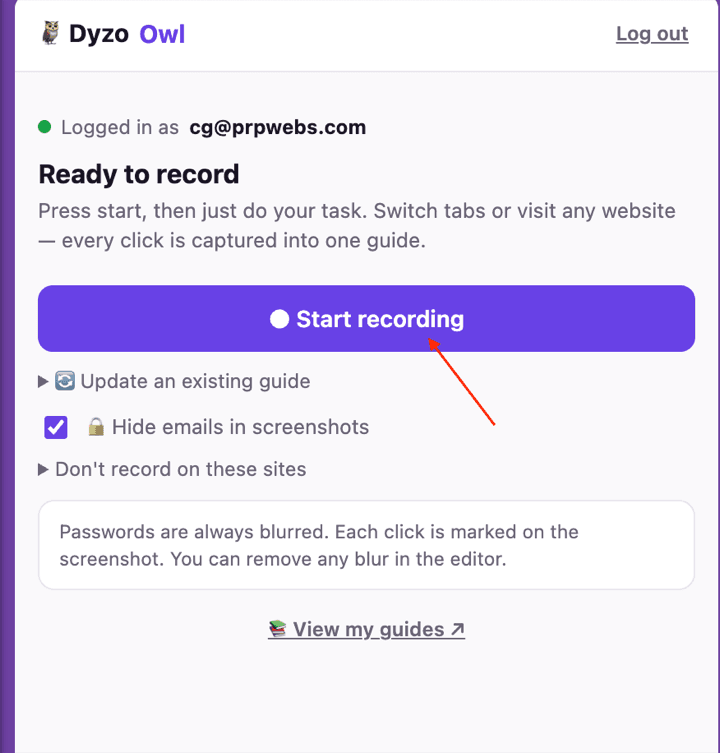
Record
Hit record in the extension and just do the task. Every click, form and page change becomes a numbered step — across tabs, on any site.
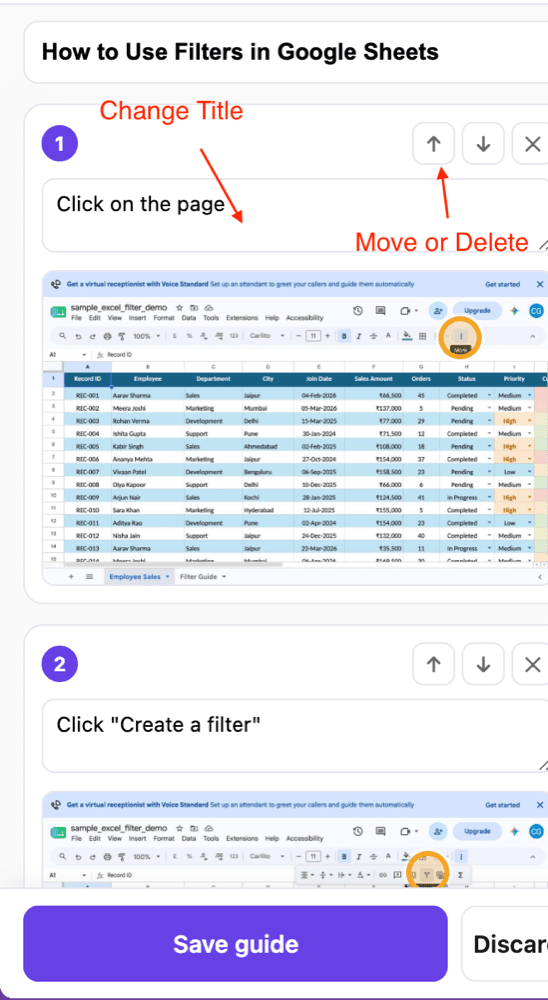
Refine
Dyzo Owl writes the guide for you. Edit any caption, reorder or delete steps, blur anything sensitive, and let AI polish the wording.
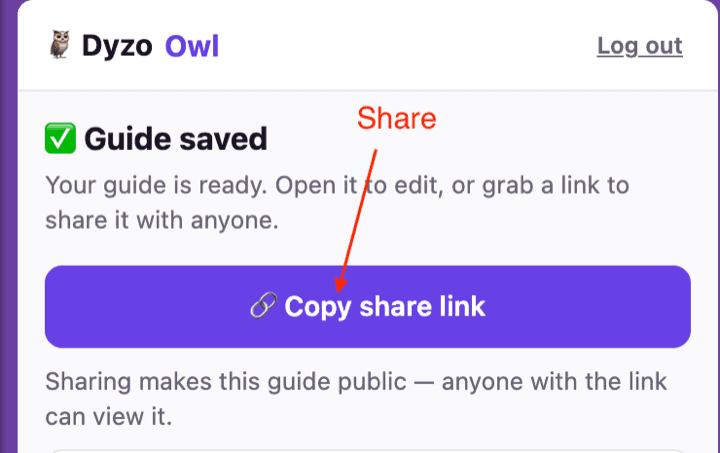
Share
Publish a link anyone can open — no signup to view — or export to Word, PDF, HTML and Markdown. See who read and completed it.
How we’re different
- $7 per user per month · vs Tango ($20+) and Scribe (5-seat minimum). The free plan is real — 5 SOPs per user every month, not a 14-day trial.
- Create SOPs automatically · Most SOP software is just a document editor. Dyzo Owl records the process and writes the steps for you.
- Edit in the side panel · Reorder, rename, and delete steps before saving — no round trip to a separate web editor.
- Works across tabs and sites · Move between Shopify, Gmail, Slack, your CRM — it's all captured into one SOP.
FAQ
- What is SOP software?
- SOP software helps you create, store, and share standard operating procedures — the step-by-step documents that show how to do a recurring task. Dyzo Owl goes further: instead of typing each step, it records your screen and writes the SOP for you.
- How do I create an SOP with Dyzo Owl?
- Open the side panel, press Start recording, and do your task. Dyzo Owl captures each click with a screenshot and writes the step. When you're done, review, tidy up, and save — your SOP is ready to share.
- Is Dyzo Owl a good SOP creation tool for teams?
- Yes. It's $7 per user per month for unlimited SOPs, with no seat minimum, and readers never need an account. That makes it an affordable SOP management tool for small teams and agencies.
- Is there a free SOP tool?
- Dyzo Owl's free plan gives you 5 SOPs per user every month — enough to document your core processes at no cost. Upgrade to Pro for unlimited.
Try Dyzo Owl free
Capture your first SOP in two minutes. No card needed.