The Google Docs SOP template you never have to fill in
Blank Docs templates still make you write every step and paste every screenshot. Dyzo Owl records your process, then you export the finished SOP and open it directly in Google Docs — structure, steps, and screenshots already in place.
5 free SOPs every month. No credit card.
- 1
Click “New invoice” in the billing dashboard
- 2
Fill in the client and amount, then Save
- 3
Send the invoice and copy the payment link
Illustration — every click you make becomes a step with its own screenshot.
Opens straight in Google Docs
Export your SOP as .docx, then upload or drag it into Google Docs — it converts to a native, fully editable Doc with the screenshots embedded.
The content is done for you
Record the task once in Chrome. Every click becomes a numbered step with a screenshot — no writing from a blank page.
Share the Docs way or the better way
Keep the Doc in your Drive for your team's workspace — or share the Dyzo Owl link, where readers get follow-along checklists and you see who actually read it.
Update without starting over
When the process changes, re-record just the changed steps in Dyzo Owl and re-export — instead of hunting through an old Doc.
See it in action
Record the task once — Dyzo Owl writes the steps, captures every screenshot, and gives you a link to share.
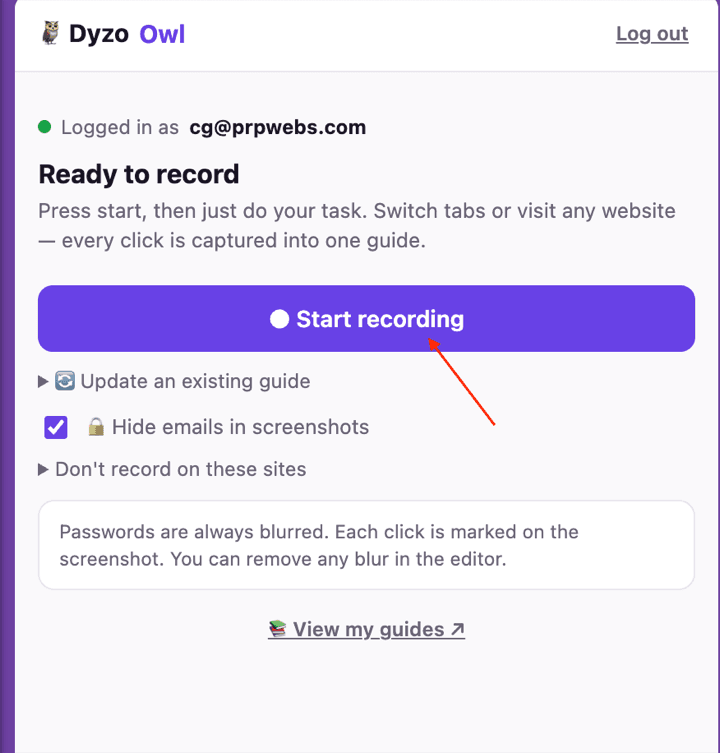
Record
Hit record in the extension and just do the task. Every click, form and page change becomes a numbered step — across tabs, on any site.
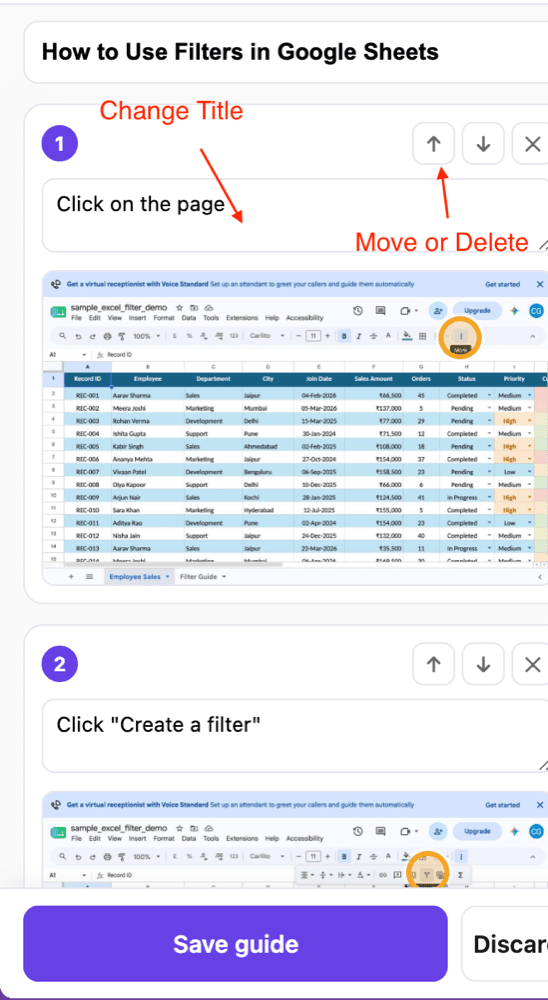
Refine
Dyzo Owl writes the guide for you. Edit any caption, reorder or delete steps, blur anything sensitive, and let AI polish the wording.
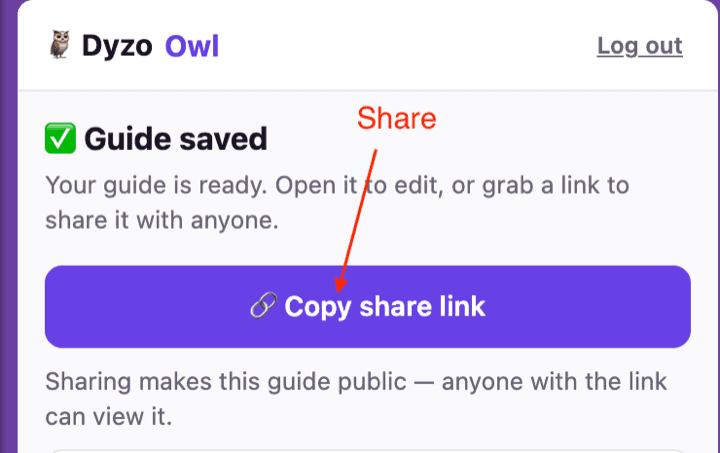
Share
Publish a link anyone can open — no signup to view — or export to Word, PDF, HTML and Markdown. See who read and completed it.
How we’re different
- vs a blank Docs template · Templates give you headings to fill. Dyzo Owl hands you the finished procedure with proof screenshots.
- vs screenshot-paste into Docs · Crop, paste, resize, repeat — replaced by one recording and one export.
- Compliance-friendly structure · Owner, version, and next-review date are in the document header — the fields reviews and audits ask for.
- Free to try · 5 SOPs a month free, exports included. Pro is $7 per user for unlimited.
FAQ
- How do I get my SOP into Google Docs?
- Export the guide from Dyzo Owl as Word (.docx), then open Google Docs and use File → Open (or just drag the file into Drive). Docs converts it instantly into an editable document with the screenshots in place.
- Do images and formatting survive the conversion?
- Yes — numbered steps, section headings, notes, and embedded screenshots all come through when Google Docs imports the .docx.
- Is there a free SOP template for Google Docs here?
- Better: a free SOP generator. On the free plan you can create 5 SOPs a month and export each one — plus our template gallery gives you ready-made structures for onboarding, invoicing, complaints, and more.
- Why not just write the SOP in Google Docs directly?
- You can — but you'll spend most of the time taking and pasting screenshots. Dyzo Owl captures them automatically while you do the task, with passwords auto-blurred, and keeps a living linked version your team can follow step by step.
Try Dyzo Owl free
Capture your first SOP in two minutes. No card needed.